
01IT Service Management · Service desk
Every report.
Properly classified.
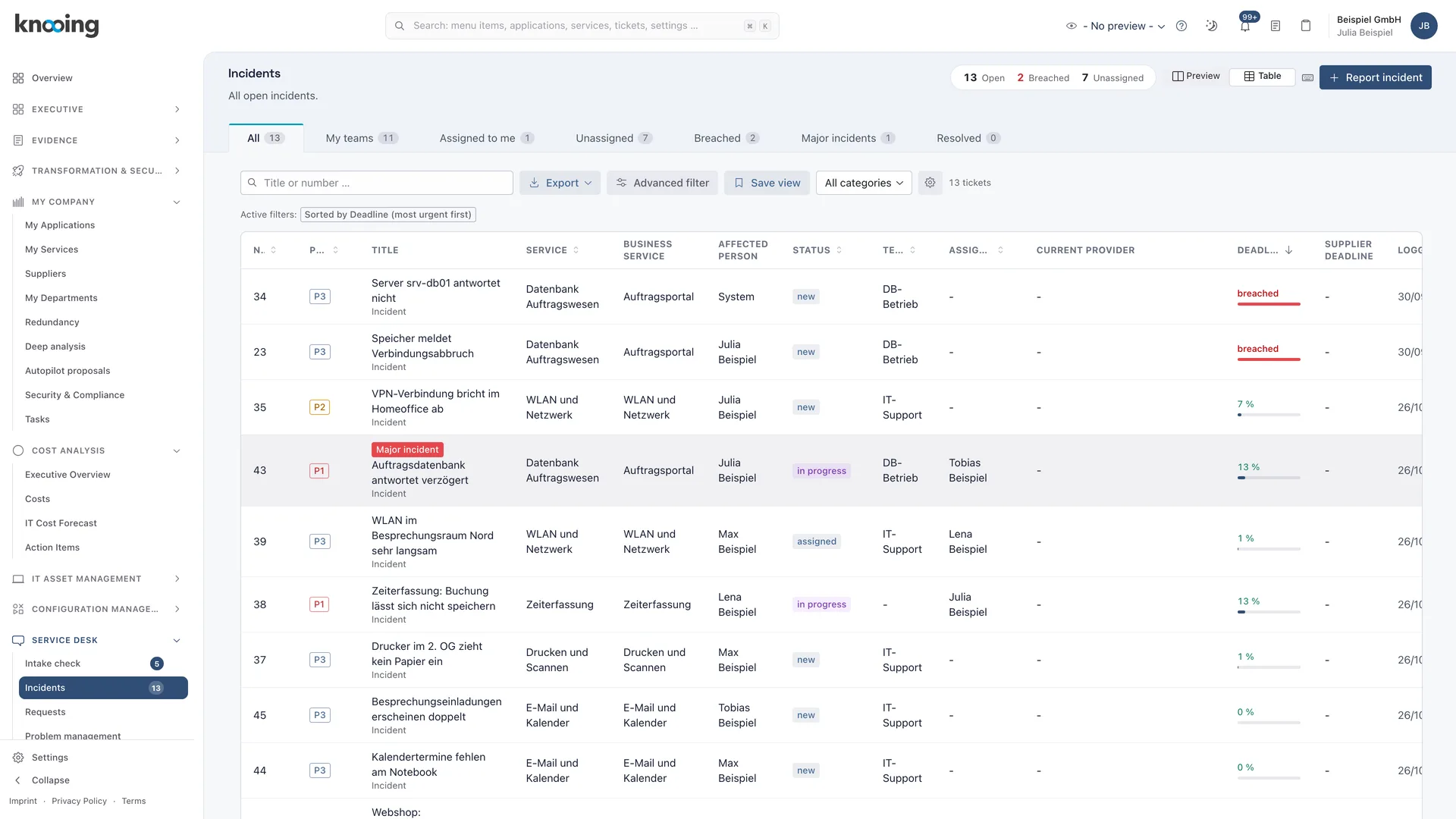
Portal, email, phone, Teams, monitoring or API: every report becomes the same ticket with priority, team and deadline. The intake log records every report, and routing takes it to the right team.
Service desk
From first contact to the right team, in four steps.
01Intake channels
Every channel, one ticket.
Every report becomes the same ticket with priority, team and deadline, whatever channel it arrives through. Reports work the same for every channel.
- Connect the service desk mailbox from Microsoft 365; replies land on the same ticket
- Microsoft Teams as a reporting and notification channel
- Phone reports with separate affected person and recording agent
- API keys with permissions, incident API and signed webhooks
02Intake control
An intake log without gaps.
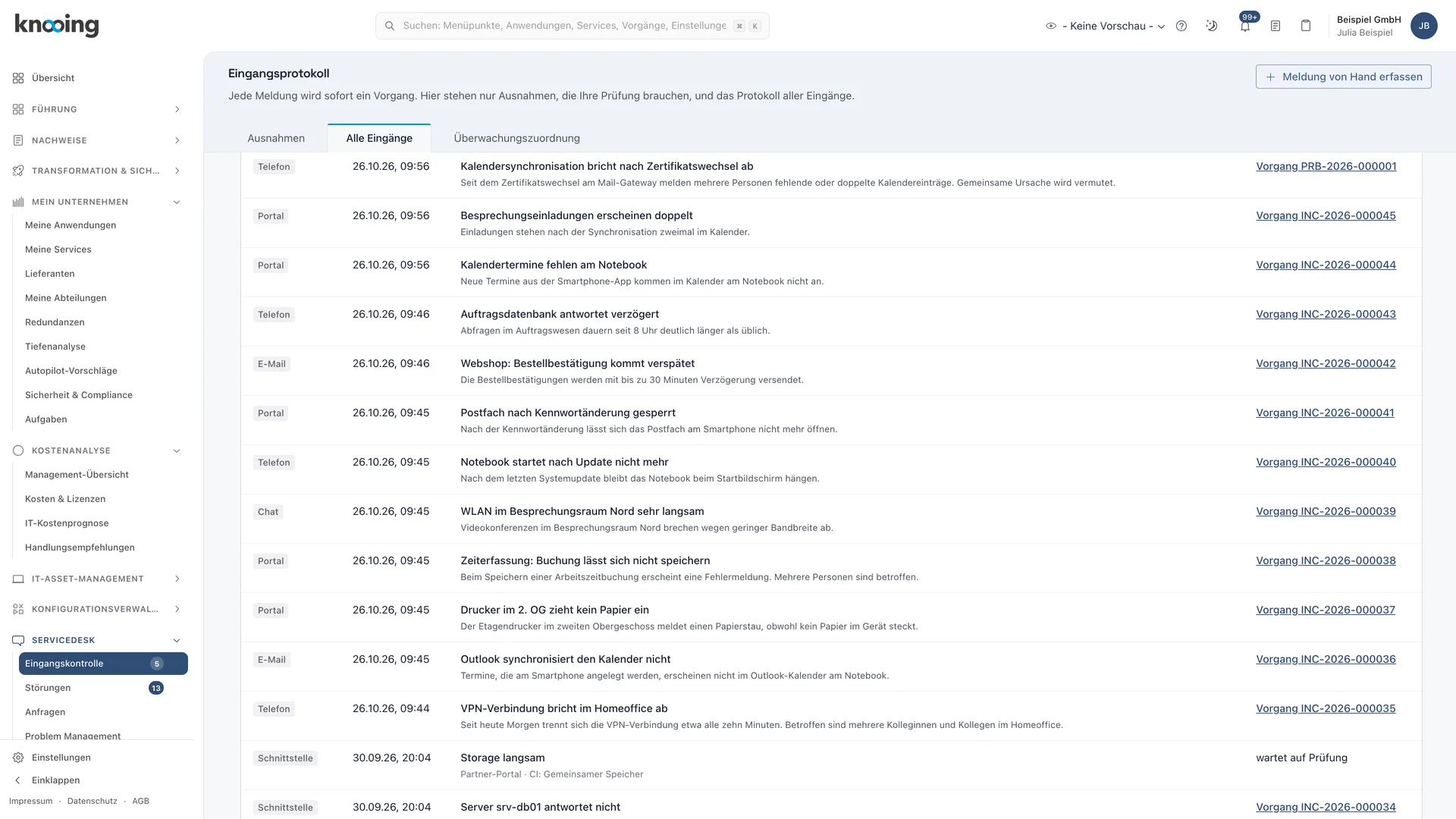
You decide per channel whether reports become a ticket immediately or are reviewed first. The intake log records every report, even with review switched off.
- Review before creation, switchable per channel
- Assign unclear cases, attach them as duplicates or reject them
- Reports without a service go to the default service and get a team and deadline right away
- Trace bundled monitoring events in the intake log
03Routing and priority
The right team, the right priority.
A category tree with inheritance routes every ticket to its team. Priority comes from impact and urgency and is raised by the criticality of the affected service.
- Category routing with inheritance, import from a spreadsheet with preview
- Priority matrix from impact and urgency per tenant
- Criticality and protection rules raise priority, never lower it
- Priority overrides only with four-eyes approval, reassignment only with a reason
04AI suggestions
Suggestions you accept. Not the AI.
knooing compares new incidents with solved cases from your organisation and suggests category, priority, similar tickets and knowledge articles. It detects multiple reports of the same incident and attaches them to a master incident in one click.
- AI suggestion for category and priority from similar solved incidents, with the reason shown
- Nothing is set without a click, and security incidents are excluded
- Duplicate suggestion per service, master incident in one click
- Sofia, the AI assistant, assigns a category on request, with preview and confirmation
Documentation
How it works in detail.
Documentation
Reporting channels: one record, no matter where an incident comes from
Portal, email, phone, chat, monitoring and interfaces: how knooing accepts incidents from every channel and turns each report into the same record, with an overview of which channel fits which purpose.
4 min read
Guide
Link the email mailbox: connect the service desk mailbox from Microsoft 365 to knooing
You connect the shared service desk mailbox from Microsoft 365 to knooing, test the connection, restrict the app to this mailbox and check the rules for incoming mail.
9 min read
Guide
Connect Microsoft Teams: report incidents right in the chat
Step by step to the Teams integration: securely connect your Microsoft 365 tenant to knooing, deploy the knooing app in the Teams admin center and let employees report incidents in the Teams chat.
6 min read
Guide
Record an incident on the phone: derive service and offering from the device
How to record an incident for a caller in the service desk: choose the device, check service and business service, choose the offering, resolve ambiguous devices and consciously accept suggestions from similar incidents.
7 min read
Documentation
Categories and routing: how an incident finds its team
Overview of the multi-level ticket categories in knooing: team on the category with inheritance, the order of routing sources, why a later category change does not move the team and how to report by category.
5 min read
Documentation
Priority from impact, urgency and criticality: how it is derived
How knooing calculates the priority of a ticket: the matrix of impact and urgency, the criticality from five sources with the strictest tier, your tenant's rule and the derivation shown on the ticket.
6 min read
Guide
Accept an AI suggestion on an incoming ticket: portal, email, interface
Incidents from the portal, email, interface or Teams get a suggestion for category and priority after arrival that agents accept or dismiss in the ticket.
4 min read
Guide
Detect duplicates and attach them to a master incident
On the ticket knooing suggests open, very similar incidents of the same service. You mark a duplicate or attach the ticket to a master incident with one click.
5 min read
Make data-driven IT decisions in minutes, starting today.
Schedule a free, no-obligation demo