
02Module · CMDB
A CMDB
your service desk can trust.
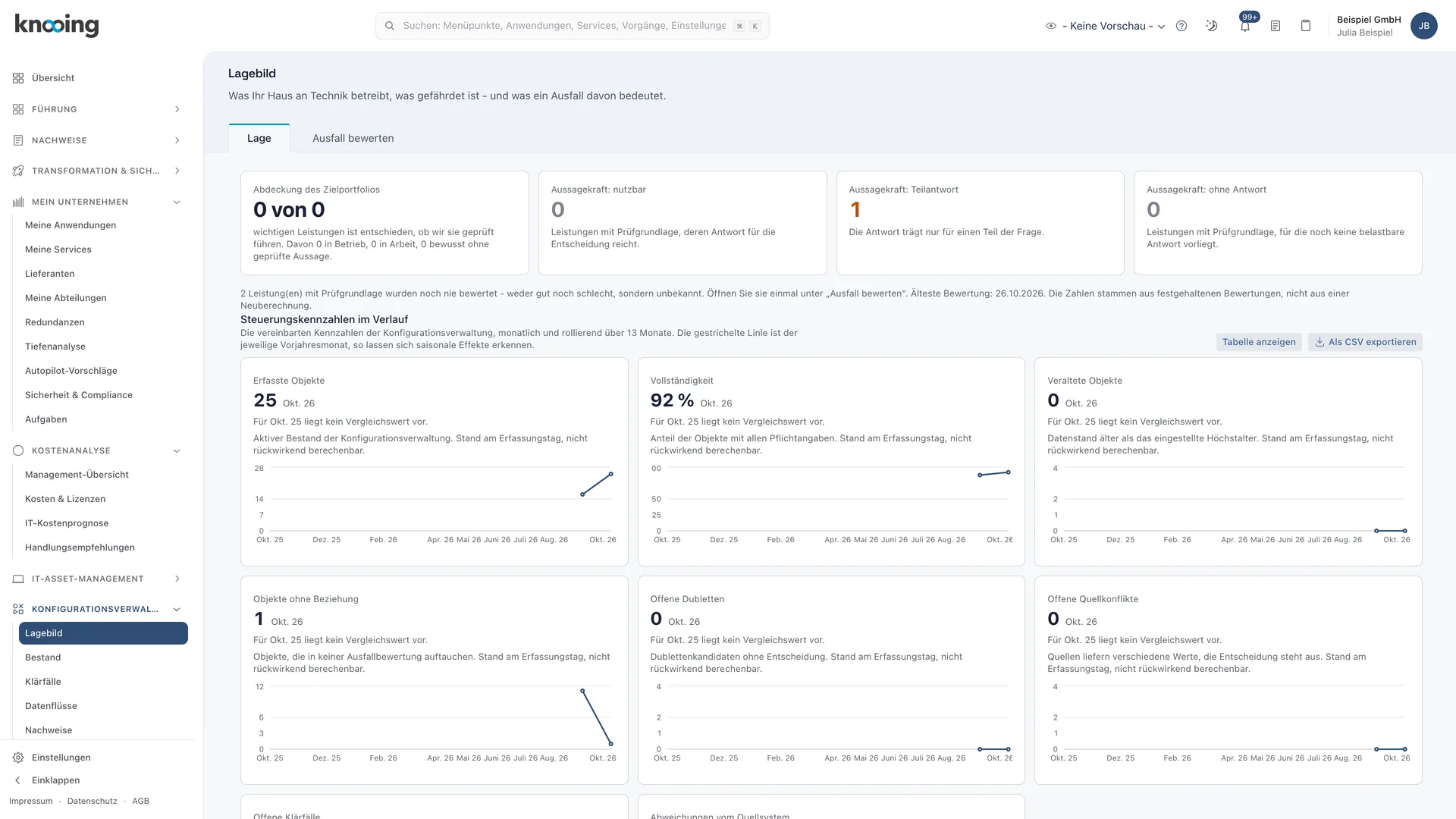
knooing pulls systems and relationships from your sources, decides per attribute which source wins and turns every contradiction into a data issue. Incidents, changes and outage assessment work straight on this inventory. For every incident you know what depends on it and how much it matters.
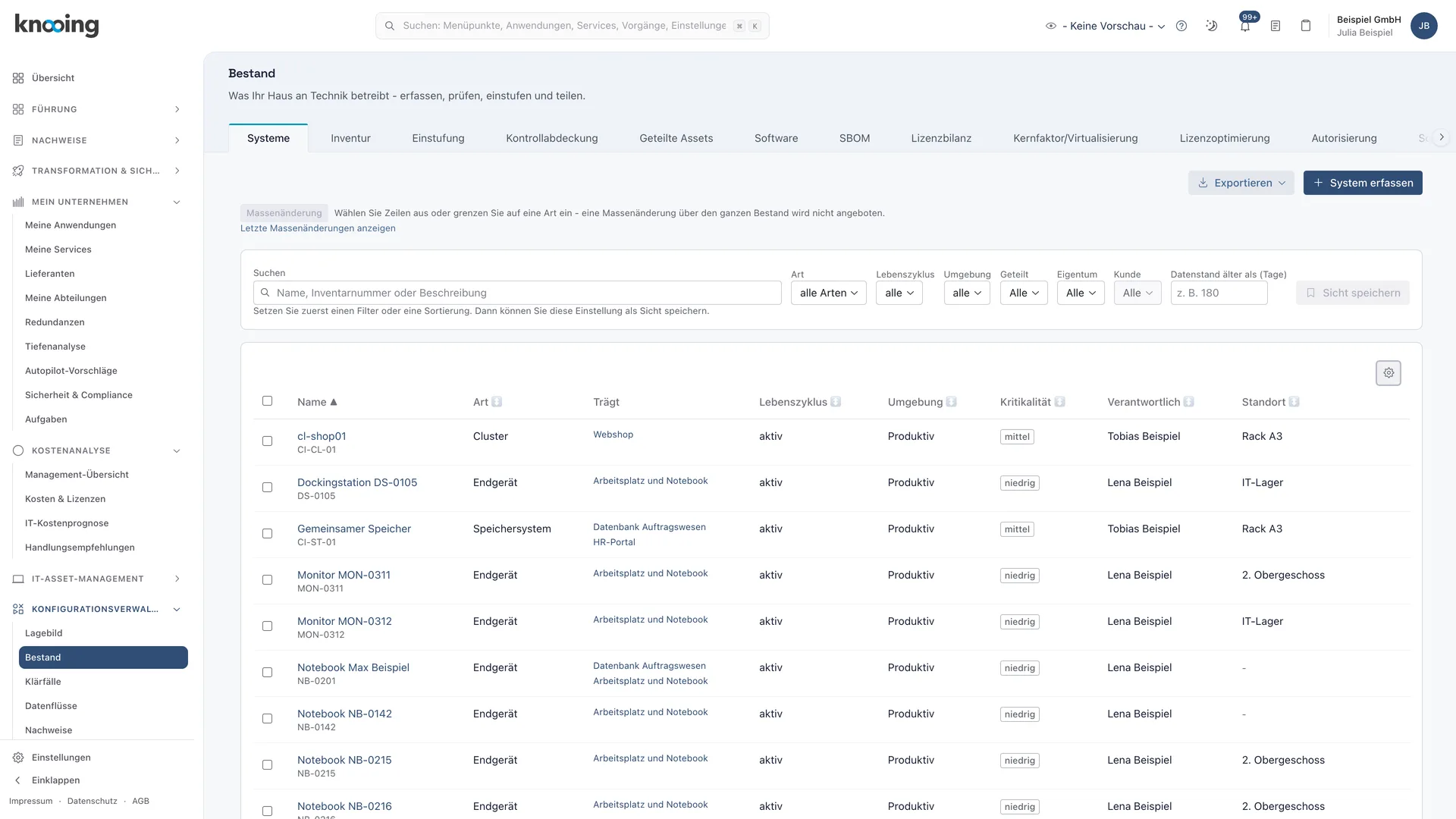
What this module delivers
Every value knows where it came from.
01Data flows
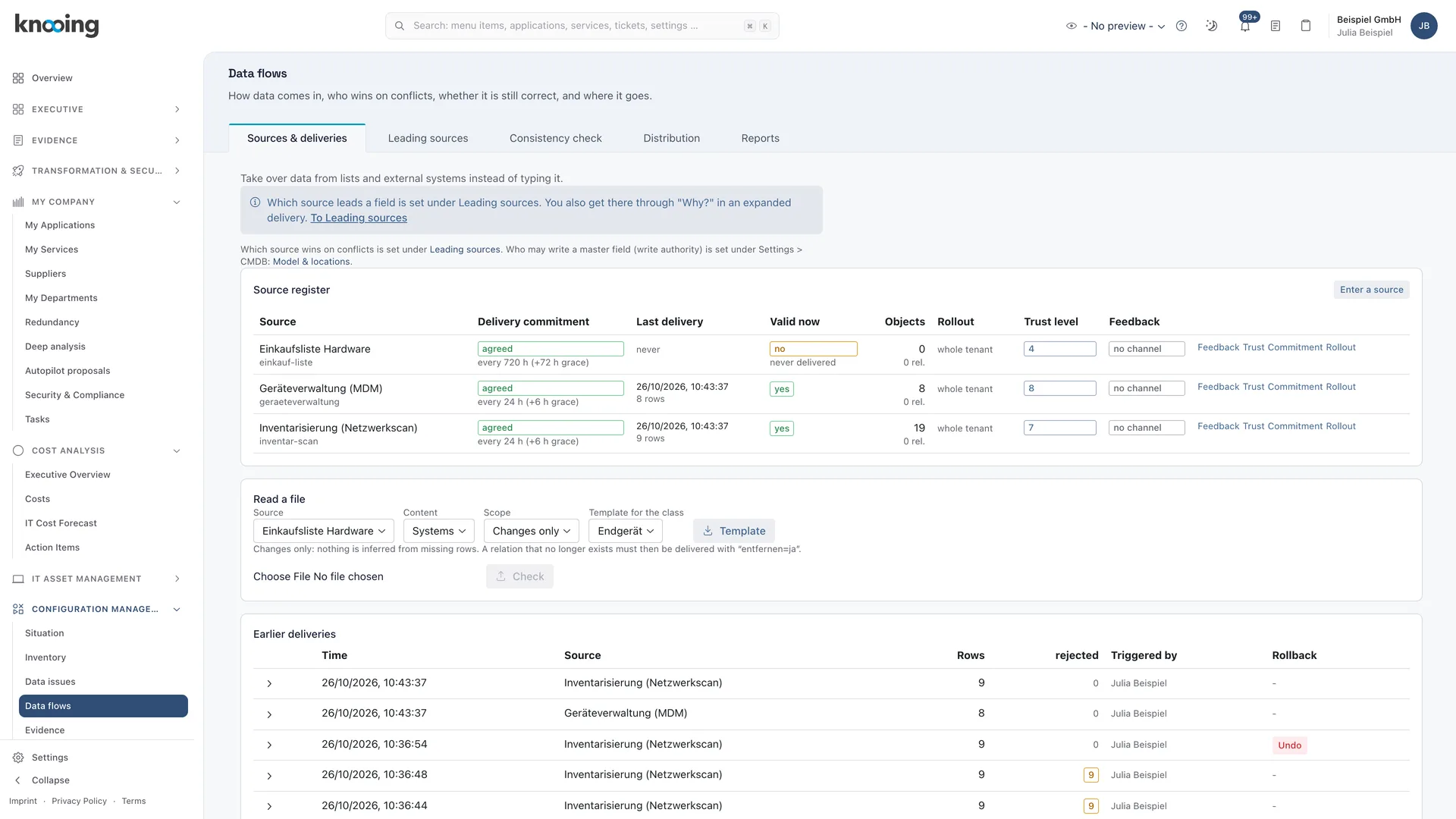
Many sources, one verified record.
Connectors fetch cloud inventory, software distribution and your provider's CMDB on a schedule. You set a trust level per source and an authority rule per attribute. You then distribute the result as a golden record to other systems.
- Connectors for AWS, Azure and Google Cloud, ServiceNow CMDB, Microsoft Intune and Configuration Manager, plus SFTP files
- Schedule per connector: from every 5 minutes to daily, weekly, monthly or manual
- Trust level, ranking and authority rules per attribute, optionally for core fields and relationships too
- Origin of every value visible: which source, when, under which rule
02Data issues
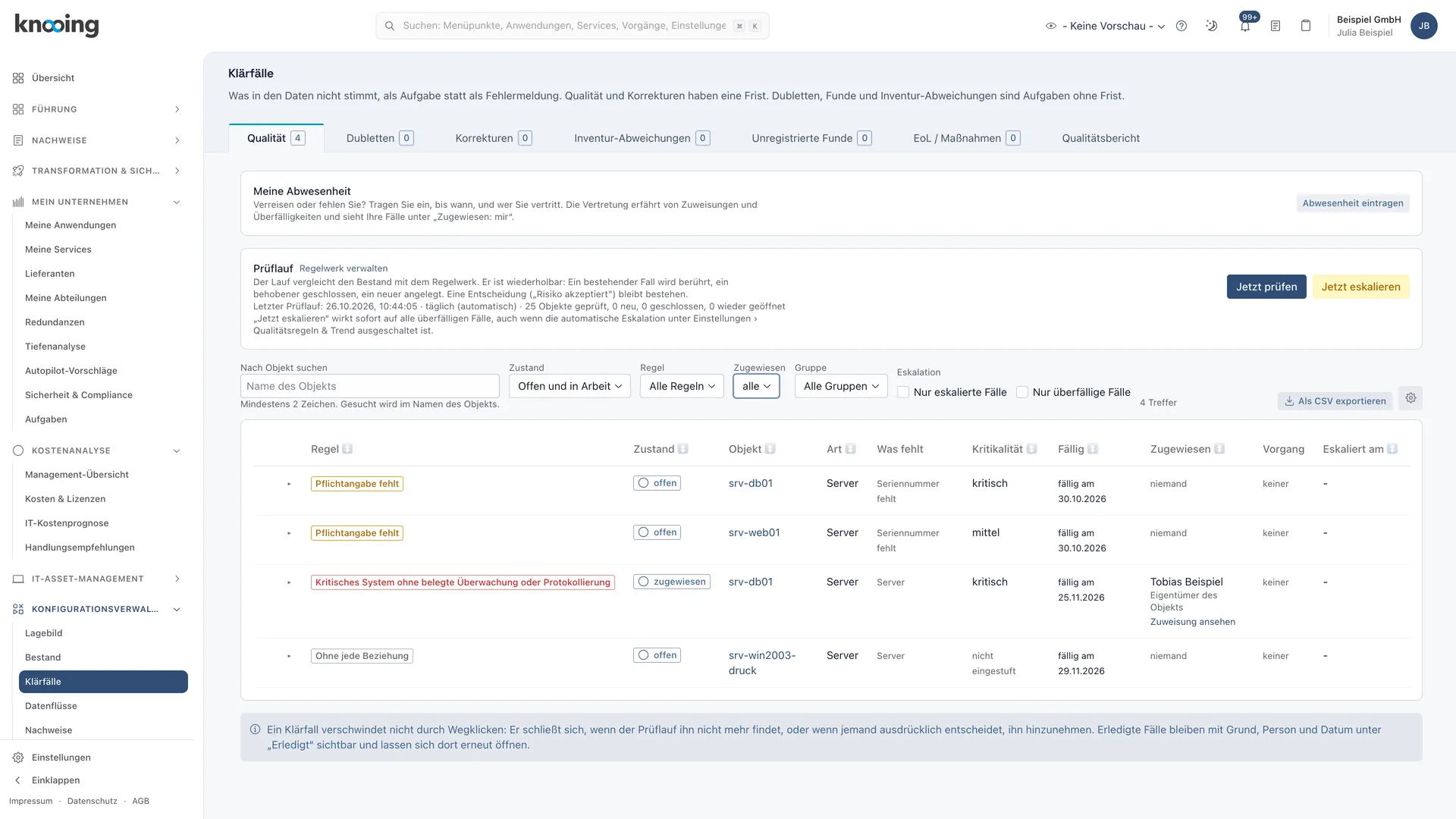
Every data error becomes a case with an owner.
A daily check finds contradictions between sources, missing data and duplicates. Devices your discovery tool reports on the network without an inventory record show up as unregistered findings. Every case goes to a responsible person, with deadline, escalation and substitution if you want.
- Source conflicts surface before anyone uses the wrong value
- Duplicate rules with dry run and merge
- Report corrections back to the source and record its answer
- Quality report with metrics, trend and status per owner
03Impact assessment
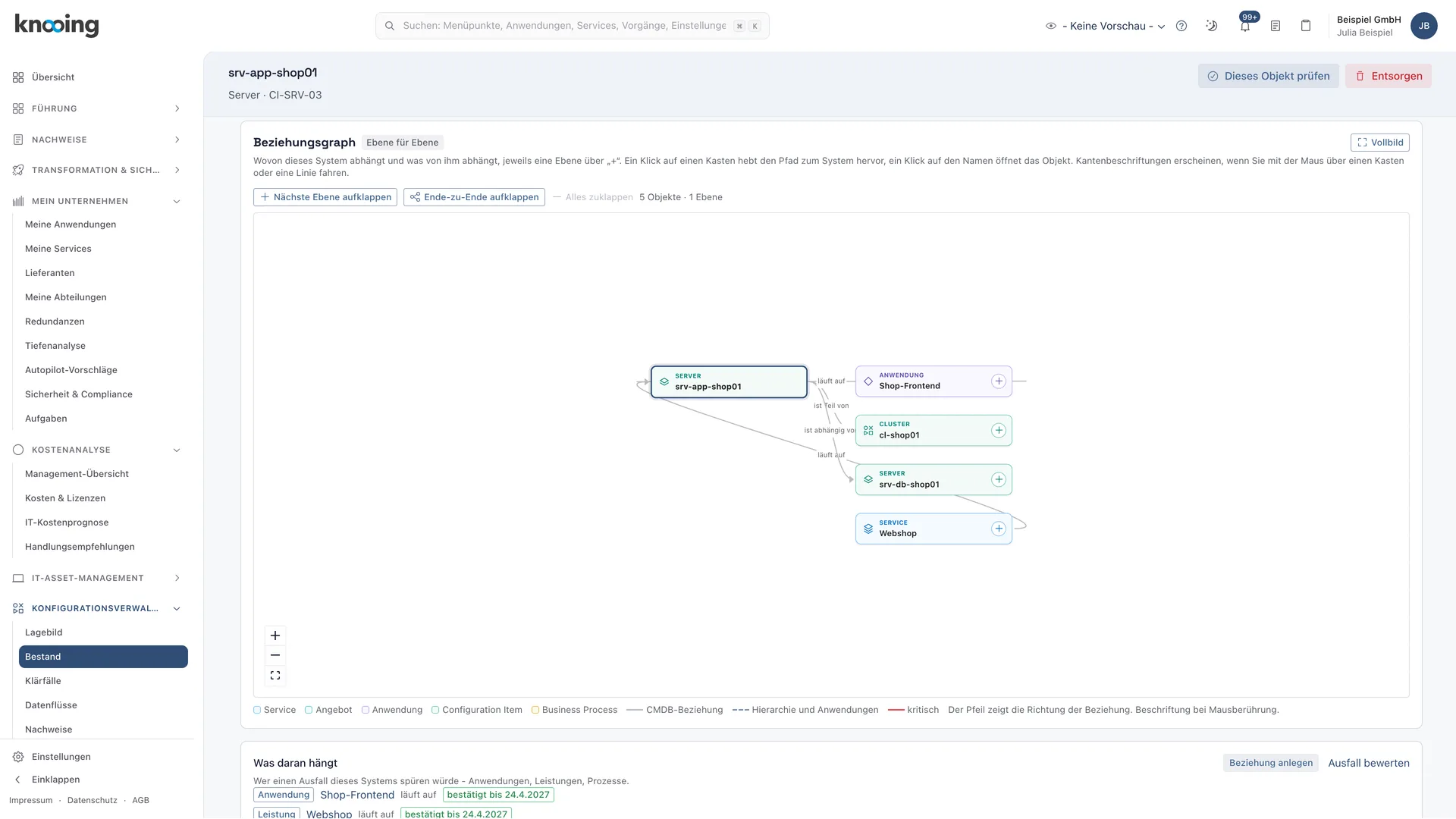
What depends on it, and how much does it matter?
For an incident, a change or a maintenance window, knooing follows the relationships to show which systems and services are affected, with criticality and protection needs. On the ticket, agents see earlier incidents, changes and problems on the same CI. Changes are analysed for impact through the CMDB, and the CMDB is updated afterwards.
- Impact assessment for incidents, changes and maintenance with a time window
- Earlier tickets on the same CI right on the incident
- Change impact with risk suggestion, then a CMDB update before closing
- Compare the inventory before and after a change
04Evidence
Auditable for any reference date.
Baselines capture the state of all systems, and you can view a system as it was at an earlier point in time. Owners confirm data and relationships through attestation. For an audit, you export change history, stock-take, data quality and EOL/EOS as an audit package.
- Take baselines and compare two states
- Attestation of data and relationships by the owners
- EOL/EOS report with a 24-month outlook, exceptions for legacy systems with risk assessment
- Audit package with a readable history
Documentation
How it works in detail.
Guide
Register sources and set their ranking: define the trust level
How to register a source, give it a trust level from 1 to 10 and understand how the level decides the winner when sources contradict each other.
5 min read
Guide
Create and activate authority rules: which source wins per attribute
Step by step: create a rule under Leading sources, check it as a draft, activate it with confirmation, edit it later, roll it back and handle ties correctly.
8 min read
Guide
Read where a value comes from: which source delivered it and why
How to open the origin of an attribute on a system page and read the source, the deciding rule, the kind of decision, alternative values from other sources and earlier reasons, also for core fields and relations.
5 min read
Guide
Resolving source conflicts: when two sources deliver different values for the same attribute
How to switch on the Source conflict rule, read the comparison table of source values in the case (also for core fields and relations) and decide with a reason: take the source value or keep the winner.
7 min read
Guide
Resolve unregistered findings: assign, record or reject devices with a reason
Step by step you resolve devices that your discovery tool reported and that knooing could not match to an object. You assign them, record them in the inventory or reject them with a reason.
8 min read
Guide
Read the classification in the impact assessment: how serious is an outage?
Step by step to pick an object in the impact assessment, read critical function and protection need of everything affected and close gaps through the link in the column What to do.
5 min read
Guide
Compare the inventory before and after a change: use the automatic baselines
How knooing takes a baseline before and after every change by itself and how you see with one click what the change actually altered in the inventory.
5 min read
Guide
Export audit evidence: change history, stock-take, data quality and EOL/EOS for a period as a ZIP
Create an audit package for a period from change history, stock-take, data quality and EOL/EOS, with cover sheet, manifest and checksum, and verify the checksum.
6 min read
Make data-driven IT decisions in minutes, starting today.
Schedule a free, no-obligation demo