
03Module · IT Asset Management
Every device, every license,
every account in view.
knooing follows a device from order and issue to the disposal certificate. Installed software comes from Intune or Configuration Manager and feeds a license position that flags under-licensing and quantifies savings. knooing alerts the owners to contracts, warranties and maintenance before they expire.
What this module delivers
From goods receipt to disposal certificate.
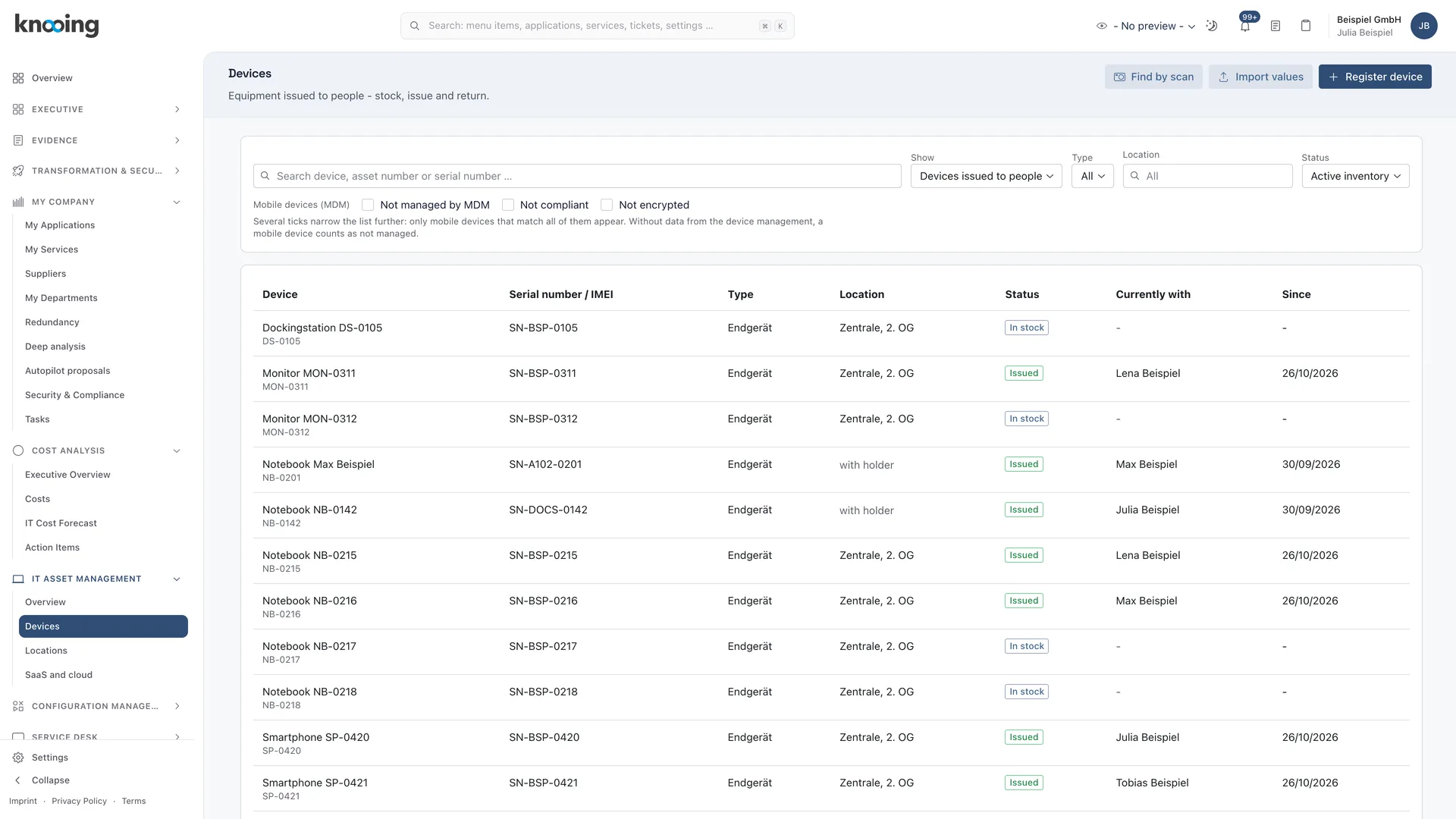
01Devices
Every issue with a reason, every return with a condition.
The overview shows who is waiting for a device, what has to come back and whether stock is sufficient. You issue devices straight from a request or as a replacement for an incident, and the ticket is the record. Employees see their devices in the portal and confirm receipt there.
- Overview with queue, returns, stock versus demand and what is due in the next 90 days
- Issue from a request or an incident, after approval if required
- In the portal: confirm receipt, request a device, open tickets per device
- Loan devices with return deadline, stock-take by camera, hand scanner, RFID or NFC
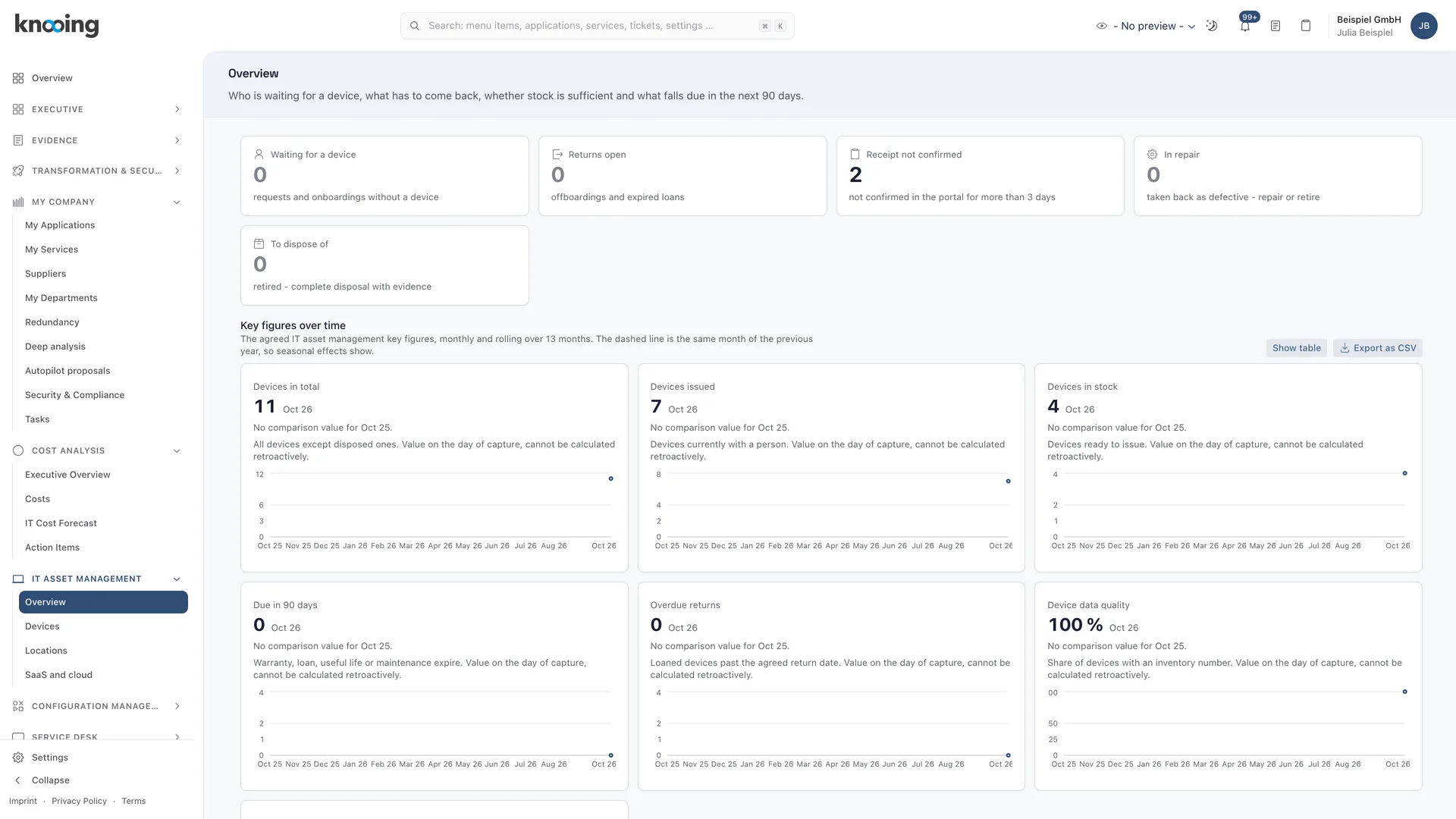
02License position
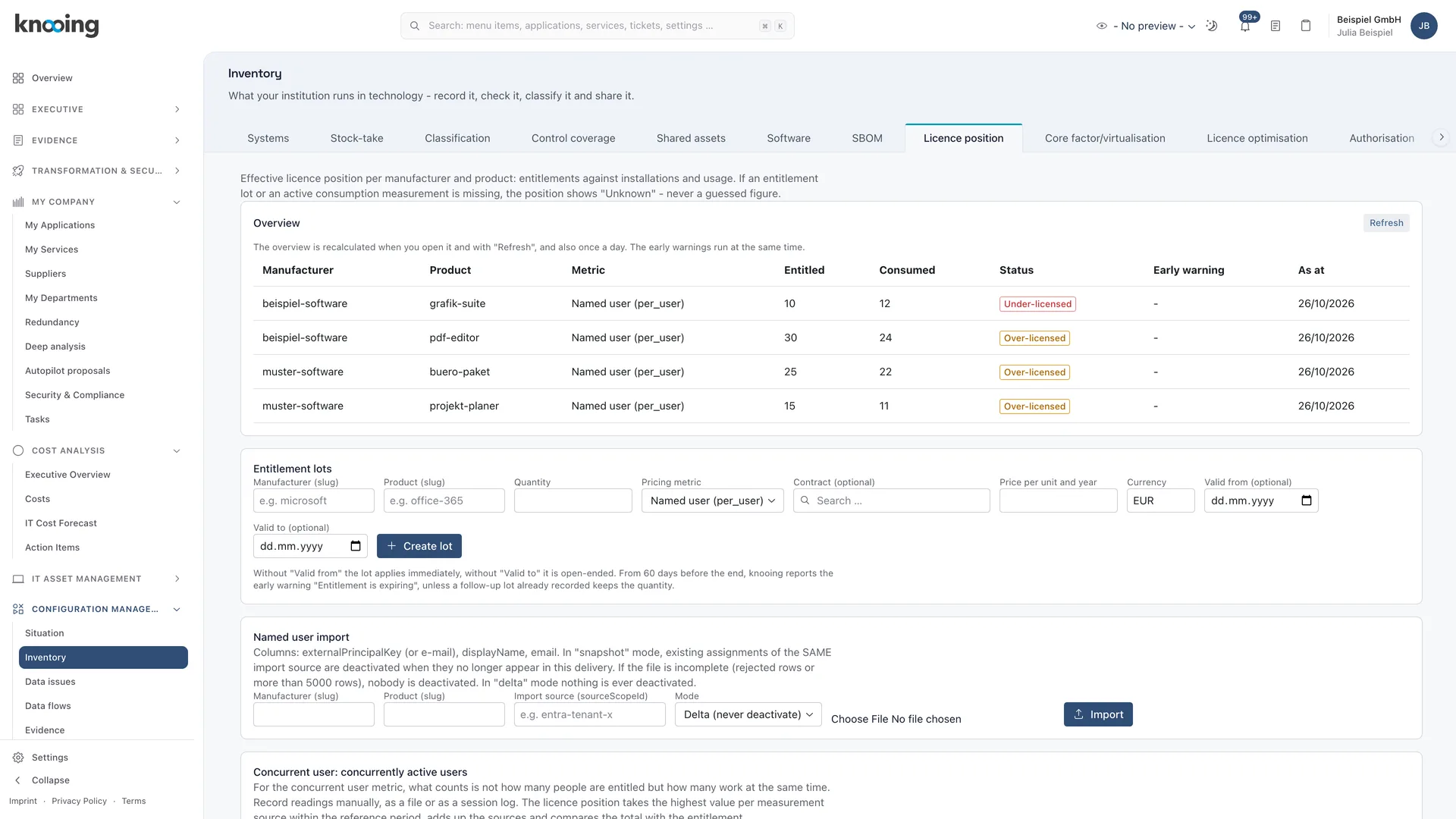
Spot under-licensing before the vendor audits.
knooing pulls installed software from Microsoft Intune or Configuration Manager or from an inventory file. The license position compares consumption per product with purchased licenses and reports what is missing. Every day, knooing also checks whether licenses are running low or an entitlement is about to expire.
- Under-licensed, balanced, over-licensed and unknown states per product
- Findings for missing licenses with notification of the owners
- Metrics per device, named user, concurrent user, and cores and PVU with vendor rules
- Authorisation list: allow, restrict or block software
03License optimisation
Savings with the calculation shown, not estimated.
knooing suggests concrete steps: return licenses to the pool, reduce quantities at the next notice date, switch or downgrade the license model. Each suggestion shows quantity, price and deadline. knooing detects unused software from last use and asks the person at the device before removing it.
- Four suggestion types with annual savings
- Last use from Configuration Manager or from Microsoft Entra ID sign-ins
- Reclaim with a question to the user and confirmation of uninstall
- Audit evidence as a license report you can later present unchanged
04SaaS and cloud
Find paid accounts that nobody uses.
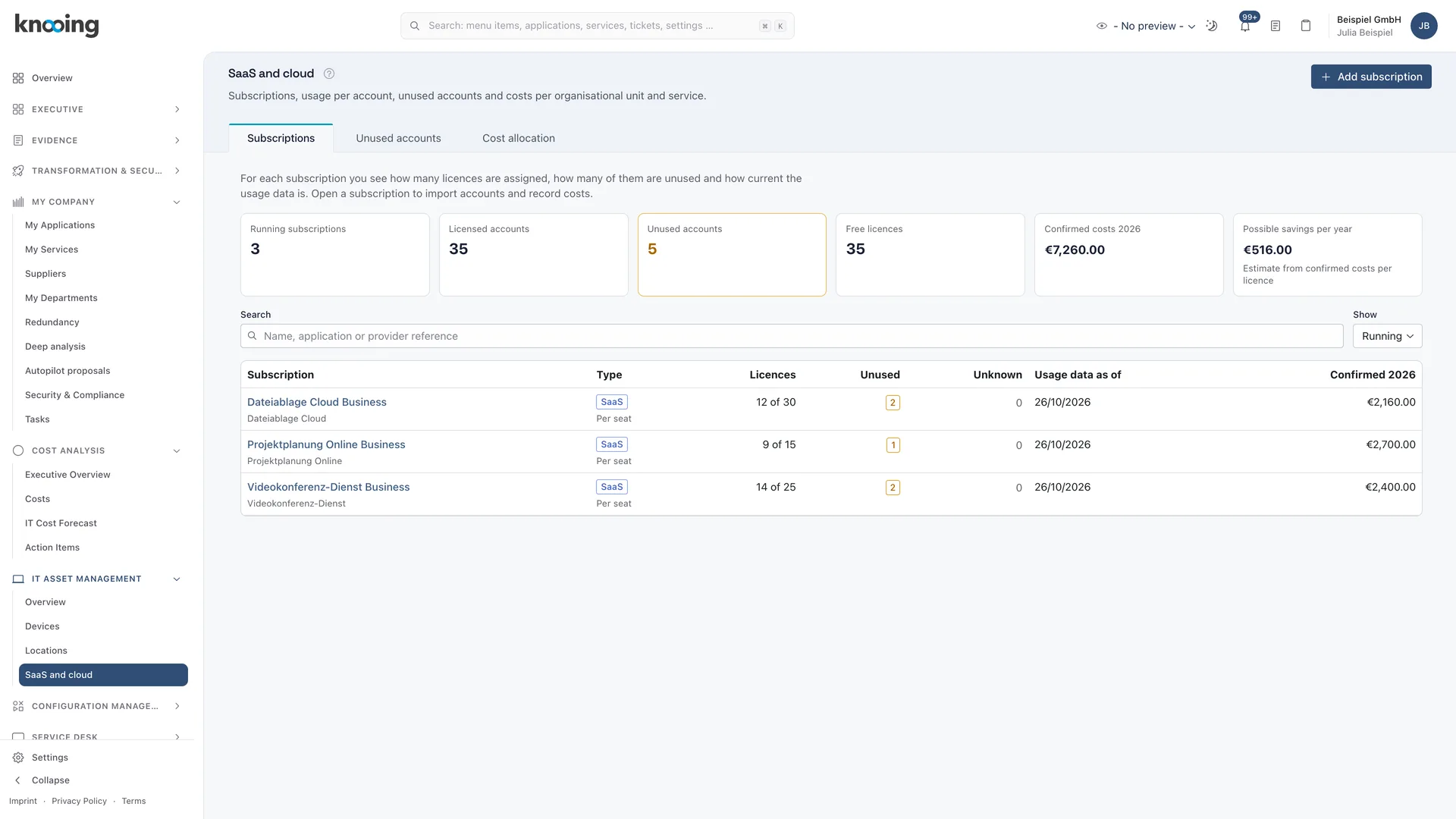
You manage your SaaS and cloud subscriptions with billing and purchased licenses. You import the vendor's user list as a file, and knooing shows usage per account and lists unused ones. knooing allocates confirmed costs to organisational units and services.
- Import the user list as CSV or Excel, each import kept as evidence
- Unused accounts after configurable inactivity, 90 days by default
- Remove a license or keep an account deliberately, with reason and deadline
- Cost allocation per organisational unit and service, as CSV with evidence
Documentation
How it works in detail.
Guide
Track a device's life cycle: from order to return
Step by step through a device's life cycle: book the goods receipt, issue the device, take it back as defective, mark it ready again after repair and read everything in the life history.
7 min read
Guide
View my devices and my software in the portal and report incidents
See in the employee portal which devices, licenses and installed software are assigned to you, confirm receipt and report an incident for a device or program.
5 min read
Guide
Connect software distribution: devices, software, approvals and usage from Intune or Configuration Manager
Step by step to an automatic software list: set up the connection to Microsoft Intune or Configuration Manager, test it, save it and start the first synchronisation.
8 min read
Guide
Evaluate the license position: overview, states and audit evidence
Step by step to an evaluation of all licenses: refresh the overview, read the states, understand early warnings, find missing data and store a fixed state as audit evidence.
7 min read
Guide
Detect unlicensed software: resolve programs without a license and license overdeployment
Step by step to software that lacks licenses: open the hint in the license position, read the license findings in the Autorisierung tab, add lots for licensed programs and close free programs as no violation.
9 min read
Guide
Optimise licences: use proposals with saving and deadline
Step by step to concrete savings: read the optimisation proposals, check the calculation, use the deadline at the contract date and define permitted downgrades.
6 min read
Documentation
SaaS and cloud at a glance: subscriptions, accounts, unused licences and costs
What the SaaS and cloud page shows, how the work runs, what the states of an account mean and which rights you need.
8 min read
Guide
Set deadlines and advance warnings: how early knooing warns before a date
Step by step to suitable advance warnings: set the lead times for end of support and life, contract end, notice day, warranty and maintenance end, save them and reset them to the defaults if needed.
4 min read
Make data-driven IT decisions in minutes, starting today.
Schedule a free, no-obligation demo